 Expanager
Know where your money goes.
The expense manager that reads your bank SMS, warns you before you overspend, and keeps your money data on your phone, not in someone's cloud.
- Free to download
- No ads
- Works offline
- No sign-up
Money management that
doesn't feel like work
Simple enough for everyday spending. Powerful enough for the whole family budget.
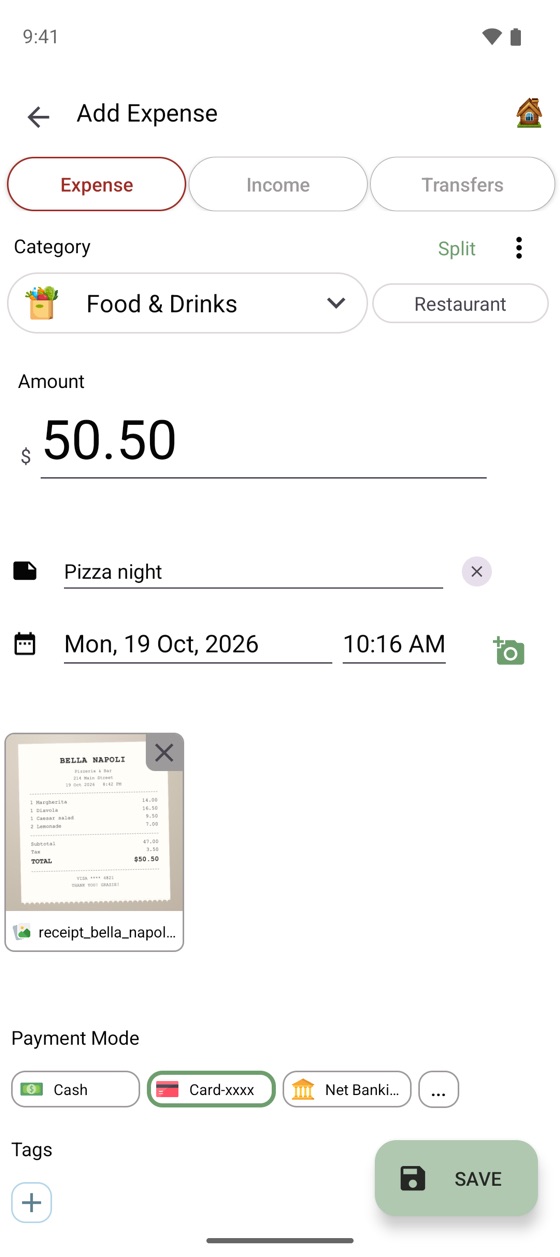
Add expenses in seconds. Or let your bank do it.
A built-in calculator, notes, tags and receipt photos make logging fast. Turn on bank SMS reading and payments become ready-made entries with the amount, merchant and category filled in.
- Bank and wallet SMS from many countries, added with one tap
- Add entries by voice, or let recurring bills add themselves
- SMS is read on your phone only, and off until you turn it on
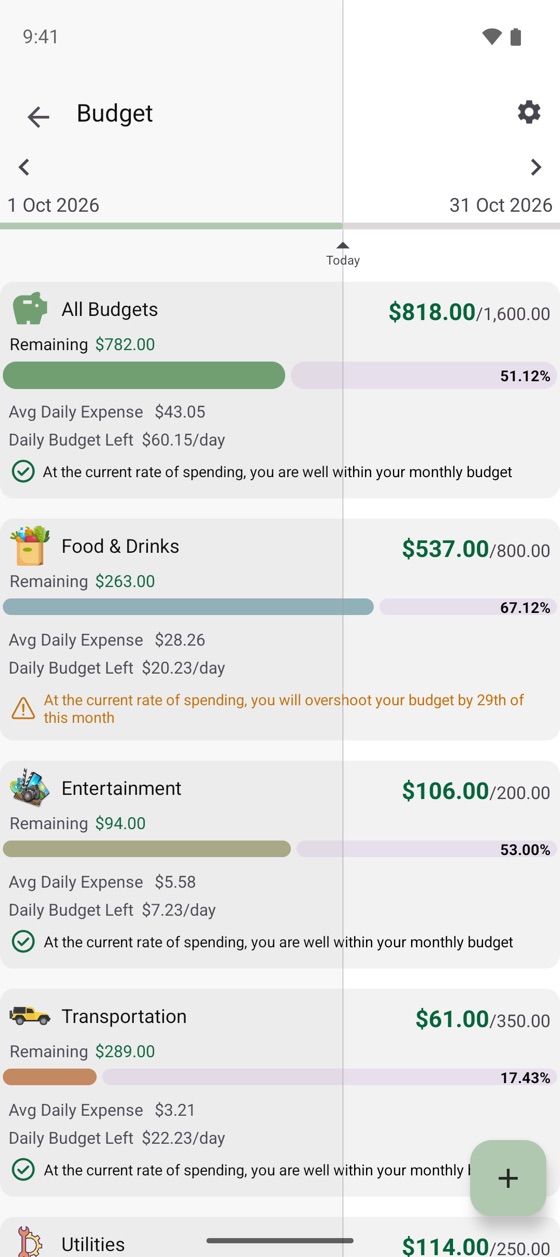
Budgets that warn you before it's too late.
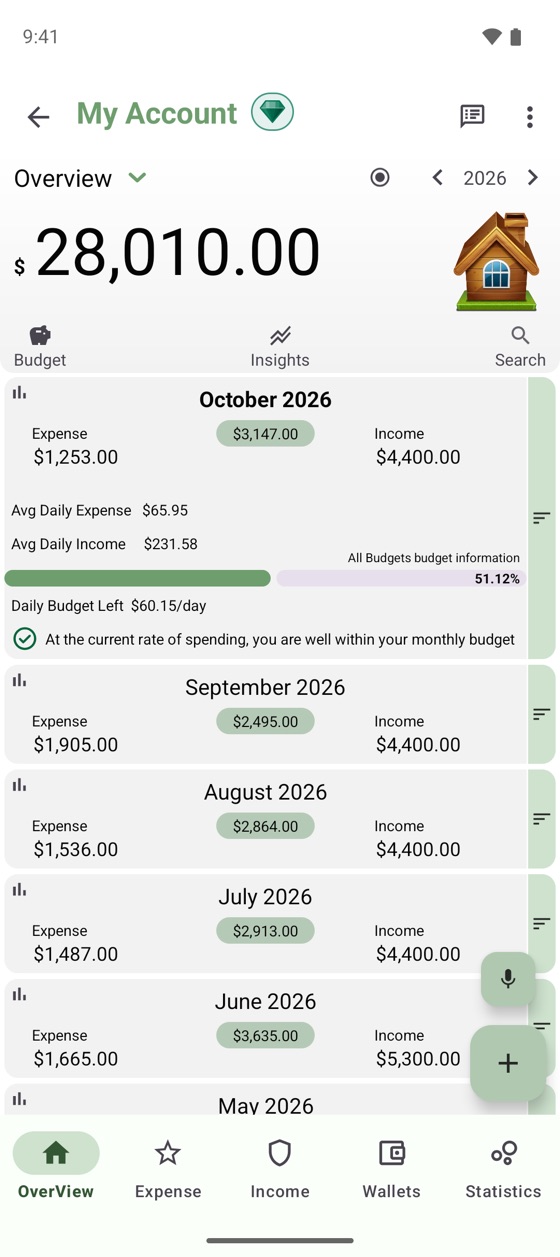
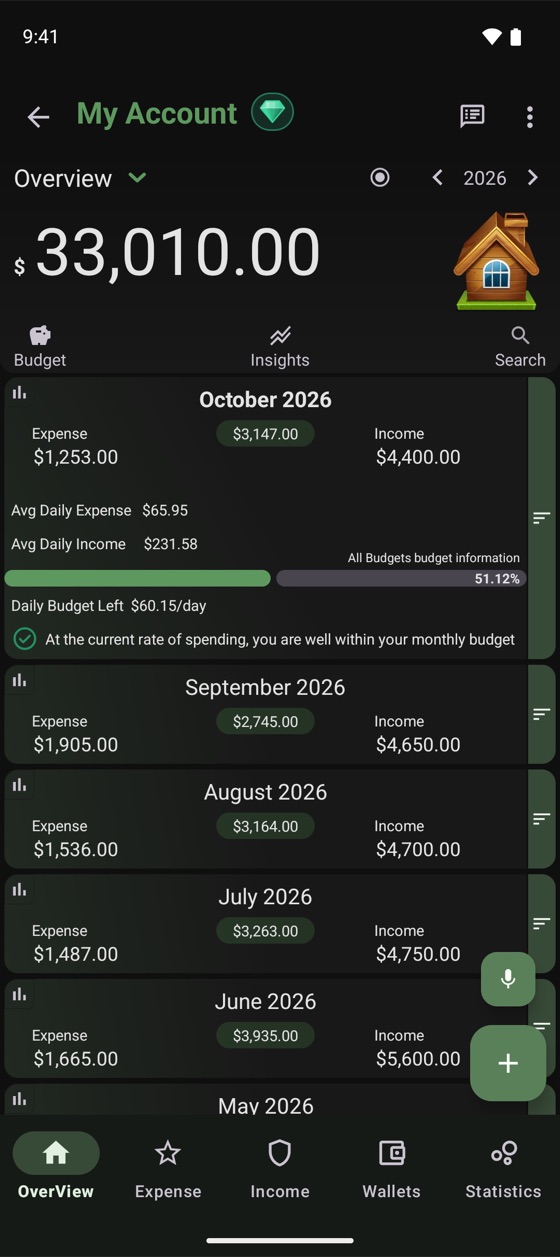
See exactly how much you can spend today. If you're on pace to overspend, Expanager tells you while there's still time to change course.
- Monthly budgets for each category, or several together
- Daily spending limit that updates as you go
- Recurring bills and income added automatically
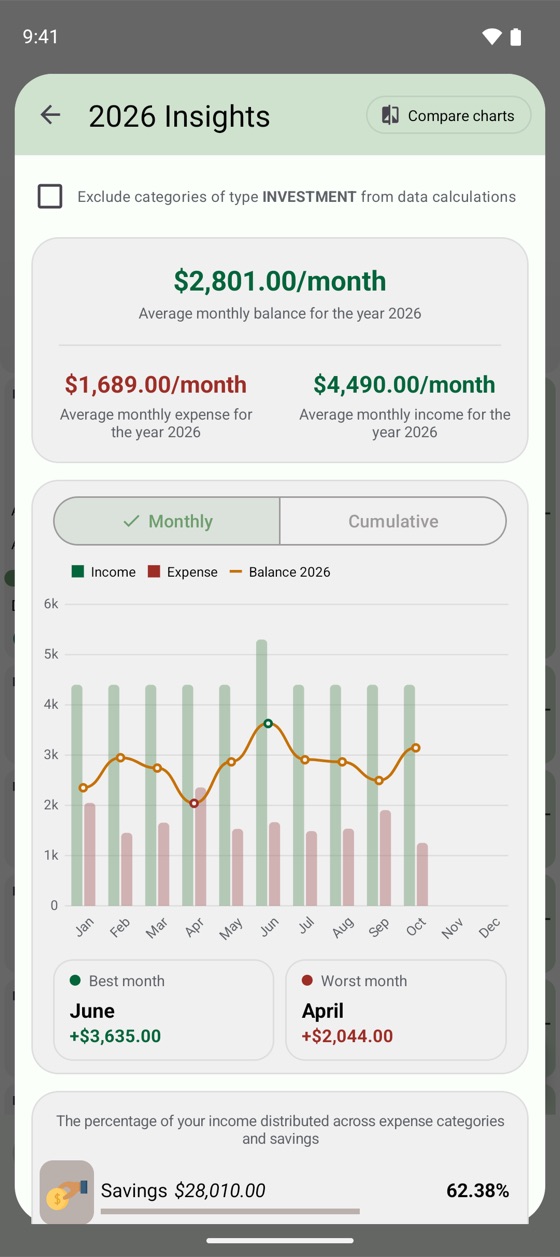
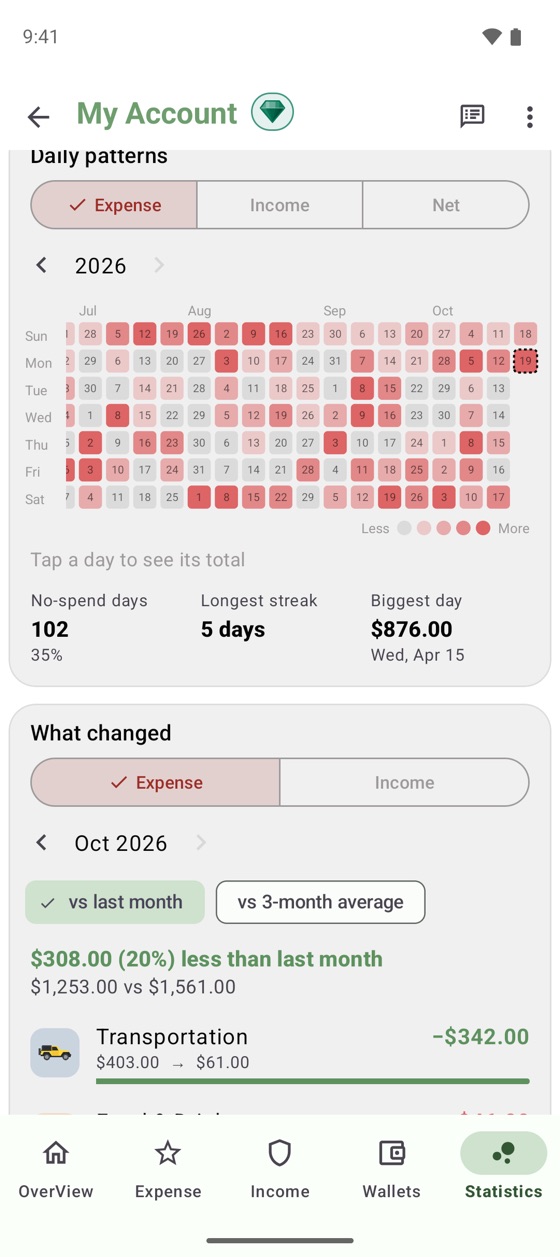
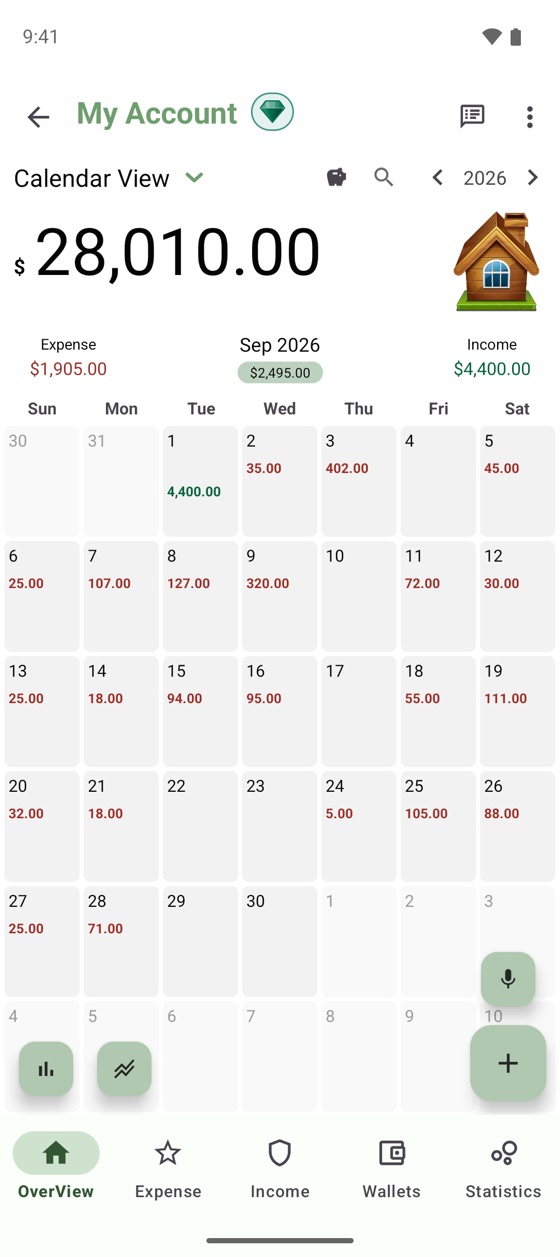
See your year at a glance.
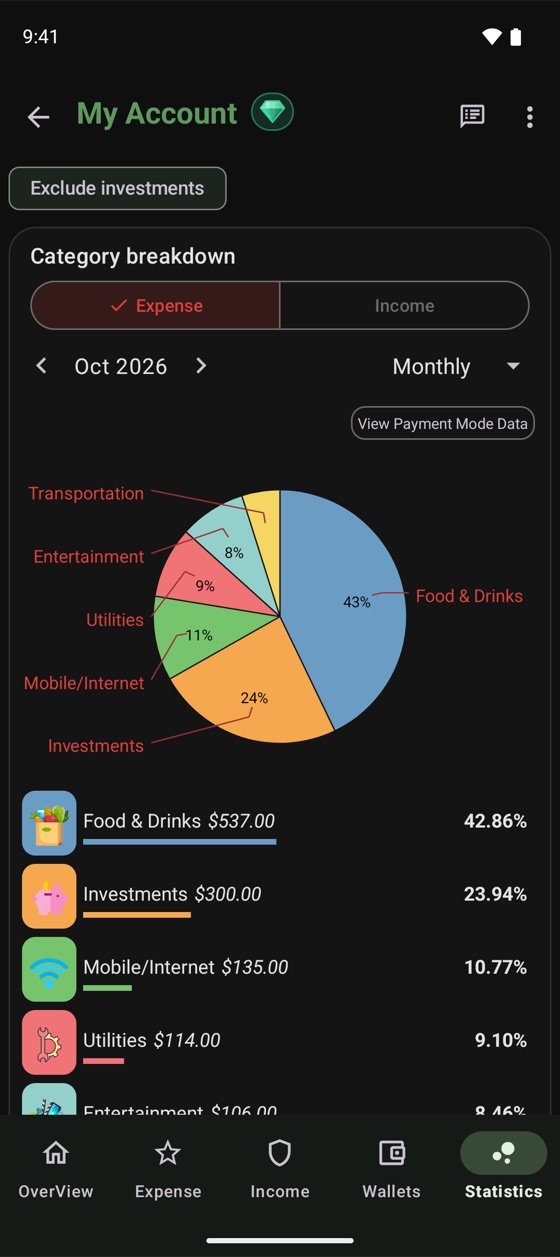
Charts that actually answer questions: Where did it go? Which month was best? What changed since last month?
- Best and worst months, savings rate and trends
- Daily heatmap and no-spend streaks
- Export reports to PDF and Excel
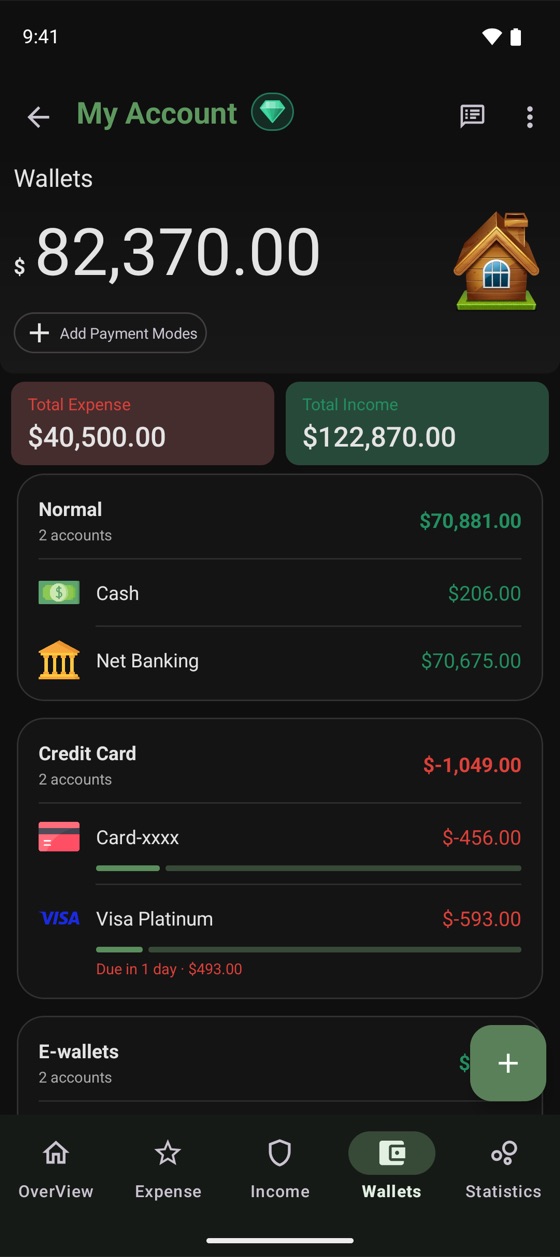
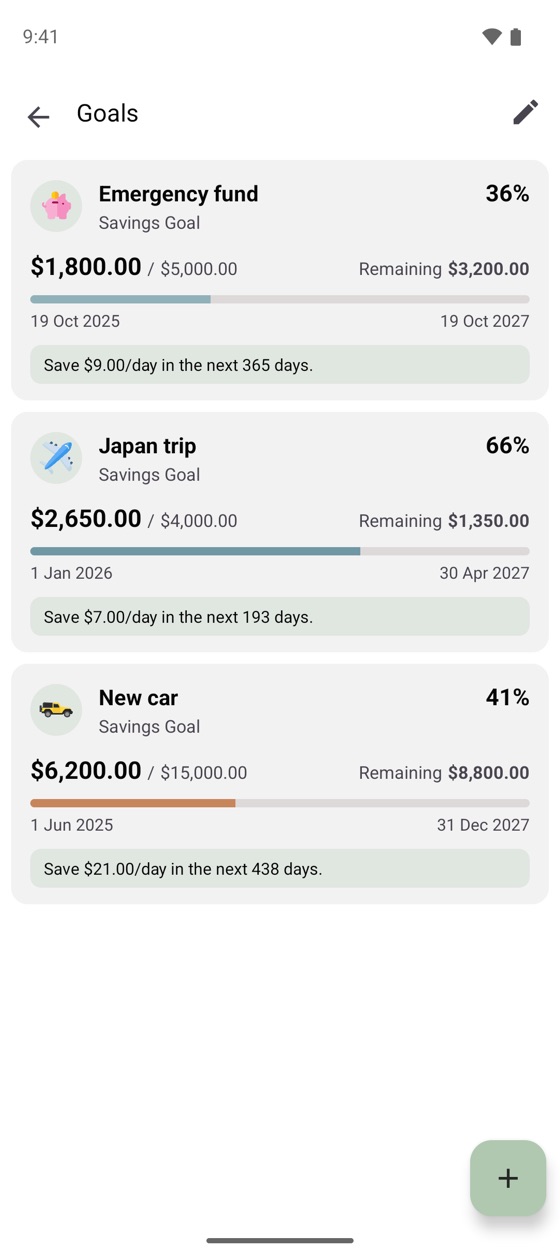
All your money. One calm place.
Cash, bank accounts, credit cards and e-wallets side by side, with savings goals and loans that show exactly what to set aside each day.
- Credit card limits and due dates
- Separate accounts for personal, family or business
- Track loans you've taken or given, and their repayments
Up and running in a minute
Install for free
Get Expanager from Google Play. No account or sign-up needed.
Add your wallets
Cash, bank accounts and cards. Or import your history from a CSV or Excel file.
Let it work for you
Turn on SMS reading and budgets, and watch your spending sort itself out.
Packed with the details
that save you time
Statement reconciliation NEW
Match your entries against bank and card statements and spot what's missing in seconds.
CSV & Excel import
Switch from another app without starting over.
Multi-currency
Spend abroad with live exchange rates.
Voice entry
Add an entry just by speaking.
Receipts attached
Snap a bill and keep it with the entry.
Speaks your language
Expanager is available in 21 languages.
Split transactions
One bill, several categories.
PC Manager
Manage entries from your computer over Wi-Fi.
Widgets
Add entries from your home screen.
Light & dark
Material You themes that match your phone.
Your money is your business.
Not ours.
Most finance apps upload your data to their servers. Expanager doesn't have servers for your data at all.
- Stays on your phoneYour entries are stored on your device, and work fully offline.
- Your own backupBack up to a file you keep, or with Premium to a private folder in your own Google Drive.
- SMS read locallyBank messages never leave your phone, and only if you turn it on.
- Locked tightProtect the app with a password or fingerprint.
Questions? Answers.
The most common ones are below. For step-by-step guides on everything, see the Help centre.
Is Expanager free?
Expanager is free to download, and the core features are free to use, with no ads. Some advanced features are part of Expanager Premium, available inside the app as a subscription or a one-time purchase.
Is my data uploaded anywhere?
No. Your entries are stored on your device. You can back up to a file you keep, or, with Premium, to a private app folder in your own Google Drive, which we can't see.
Does it work without internet?
Yes, fully. You only need a connection for Google Drive backup, exchange rates and purchases.
How does reading bank SMS work?
When you turn it on, Expanager reads transaction messages from your bank or wallet on your phone and suggests an entry with the amount, merchant and category. Nothing is sent off your device. You can turn it off any time.
Can I move my data from another app?
Yes. Export your data from the other app as a CSV or Excel file, then import it into Expanager.
How do I move to a new phone?
Export a backup file on your old phone and restore it on the new one. With Premium, you can back up to Google Drive and restore by signing in with the same Google account. Step-by-step guide.
Can I use it in my currency and language?
Yes. Expanager works with any currency, supports different number formats, and is available in 21 languages.
How do I get help or suggest a feature?
Email us at potwaresolution@gmail.com. We read every message.
Take control of your money today.
Free to download on Google Play. No ads, no sign-up, no data leaving your phone.