 Expanager
An offline expense tracker with no ads: what that means in practice
Expanager is an expense tracker and budget planner for Android that works fully offline, shows no ads, needs no account, and stores your entries on your phone rather than on a server. This page explains exactly what those four things mean, because "offline" and "ad-free" get used loosely, and what, if anything, you give up.
No ads, in the free version too
Most free finance apps are paid for by advertising, which means a banner under your spending list and sometimes a full-screen ad when you open the app. Expanager has none, and no ad network inside the app. It's paid for by Premium, a set of optional extras (Google Drive auto backup, multi-category budgets, statement reconciliation and so on) that you can buy as a subscription or a one-time purchase. If you never buy Premium, you still never see an ad.
This matters more in a finance app than in a game. An app that shows you ads has to know enough about you to pick them, and your spending history is exactly the data advertisers want.
Works fully offline
Expanager doesn't need a connection to do its job. Adding entries, reading bank SMS, budgets, charts, search, reports, backup files, the app lock: all of it runs on the phone. You can use it on a flight, in a basement car park or on a SIM with no data left. Only three things reach out to the internet:
- Google Drive backup (Premium), which copies your data to a private folder in your own Drive.
- Exchange rates, when you add an entry in another currency.
- Google Play, when you buy Premium.
Your data stays on your phone
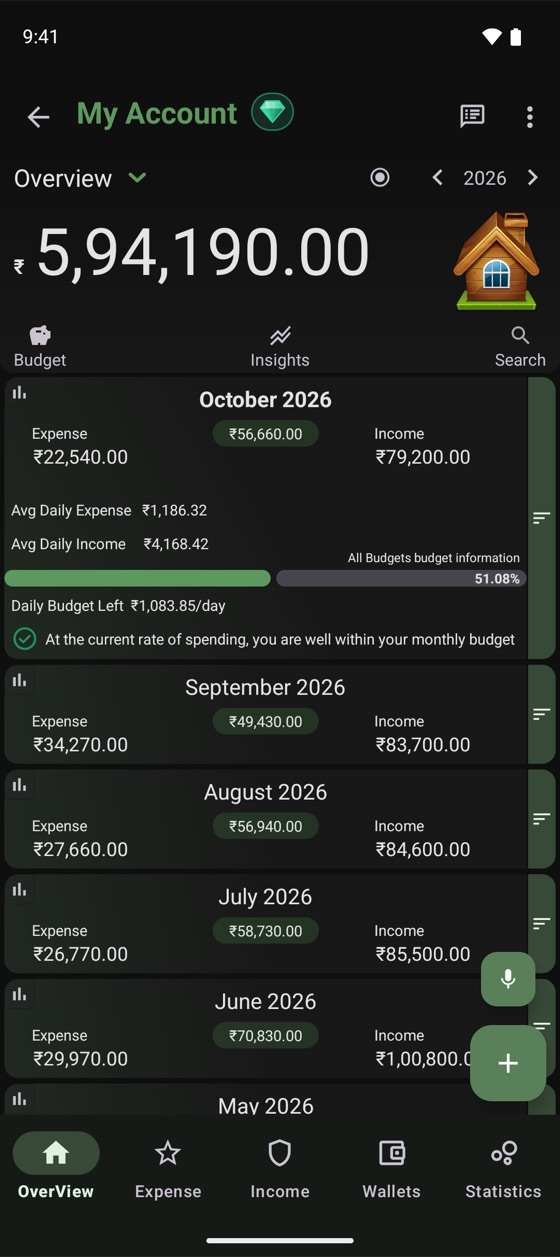
"Offline" is sometimes used to mean "has an offline mode" by apps that sync everything to their servers the moment you're back online. Expanager has no servers for your data. Your entries are in a database on your phone, and the only copies that exist are the backups you choose to make: a file you keep wherever you like, or, with Premium, your own Google Drive, in an app folder that we can't see and that doesn't count against other apps.
Bank SMS, if you turn that on, is read on the phone and never uploaded. You can lock the app with a password or fingerprint. The privacy policy is short because there isn't much to say.
No sign-up
There's no email to enter, no password to set, no OTP. You install the app, give your account a name (it's just a label; "Home" or "My Account" is fine) and start. Nothing is registered anywhere. If you want to use the app on a new phone, you move your backup file, or restore from your own Google Drive with Premium.
What you give up, honestly
- No automatic multi-device sync. Because there's no server, your phone is the source of truth. You can manage entries from a computer over Wi-Fi with the PC Manager, and you can move to a new phone with a backup, but two phones won't stay in sync by themselves.
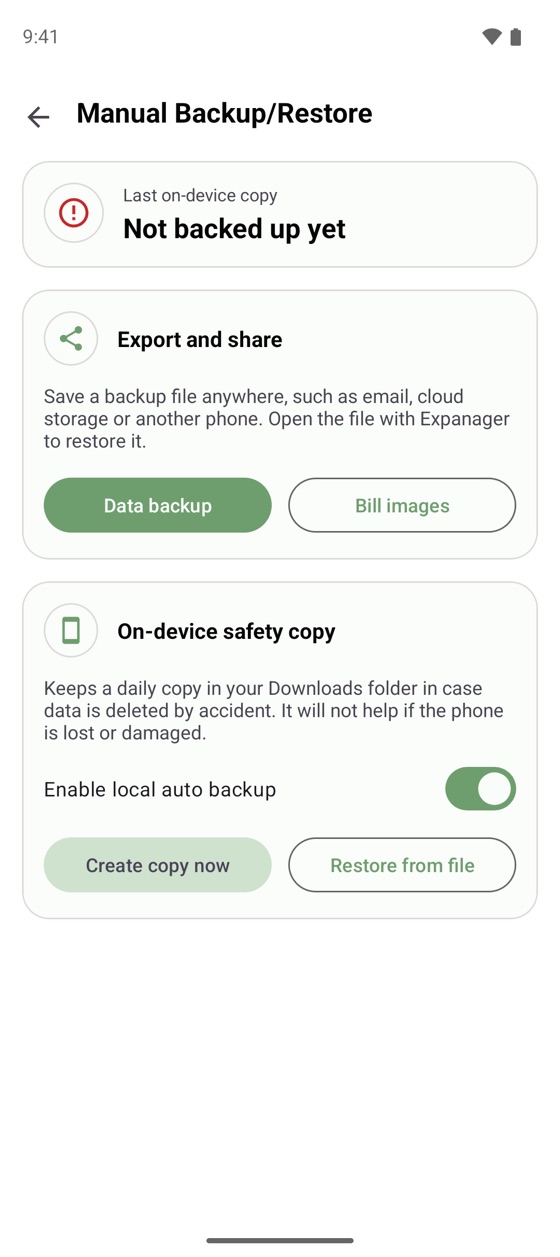
- Backups are your job unless you have Premium. The free app makes a daily local copy and lets you export a file any time; keeping a copy somewhere off the phone is up to you. (Which backup should I use?)
- No bank account linking. Expanager doesn't log in to your bank. It reads the alerts your bank sends you instead, which covers UPI, cards and transfers without handing anyone your credentials.
For most people tracking their own spending, those are the right trade-offs. The things an expense tracker needs to be good at, quick entry, honest totals, budgets that warn early, don't need a server.
What's in the free app
- Expenses, income and transfers with a built-in calculator, notes, tags and receipt photos; entry by voice
- Automatic entries from bank SMS
- Monthly budgets per category, with a daily allowance and an early warning
- Recurring bills and income
- Cash, bank, credit card and e-wallet wallets, with card limits and due dates
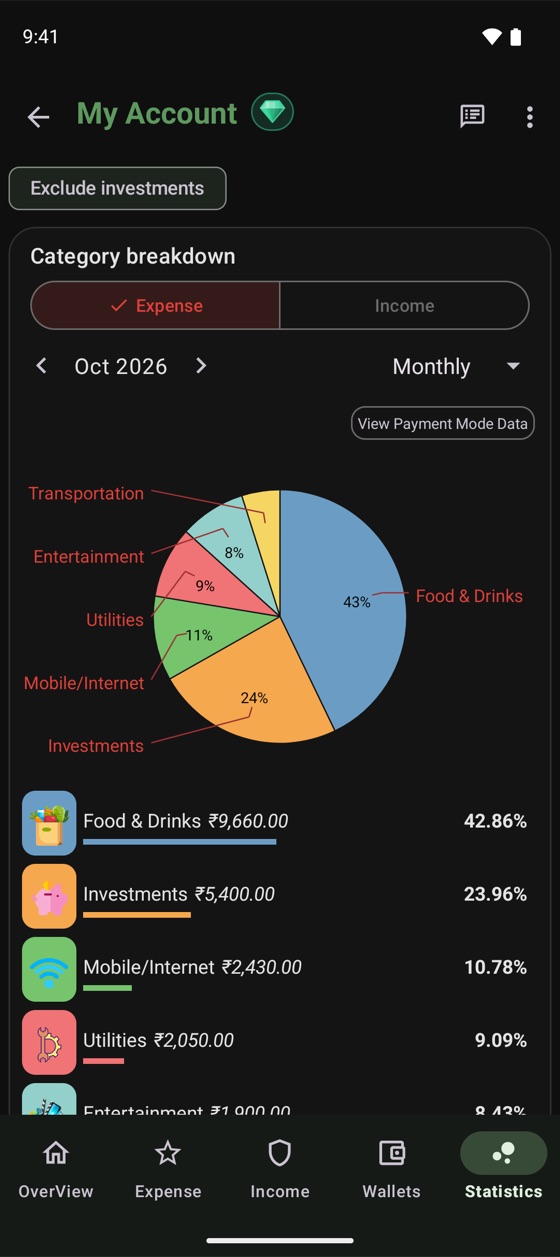
- Charts by category, month and year; best and worst months; daily heatmap
- Search, PDF and Excel reports, CSV and Excel import
- Backup to a file, app lock, light and dark themes, home-screen widgets, 21 languages
Frequently asked questions
Does Expanager really have no ads?
Yes. There are no ads in the free version or in Premium, and no ad network inside the app. It's funded by optional Premium features, not by advertising.
What needs an internet connection?
Only three things: Google Drive backup (Premium), live exchange rates for multi-currency entries, and buying Premium through Google Play. Everything else works offline.
If there's no cloud, how do I avoid losing my data?
Use Export and share to save a backup file somewhere off the phone, turn on local auto backup for a daily copy on the phone, or with Premium turn on daily backup to a private folder in your own Google Drive.
Do I need to create an account?
No. There is no sign-up, no email and no password to register. Open the app and start adding entries.
No ads. No account. No upload.
Free to download on Google Play.
