 Expanager
How to track UPI spending automatically on Android
Every UPI payment you make from a bank account triggers an SMS from your bank. Expanager reads those messages on your phone and turns each one into a categorised expense, so your UPI spending tracks itself. Setup takes two minutes, the feature is free, and nothing leaves your phone.
- Install Expanager from Google Play (free, no sign-up).
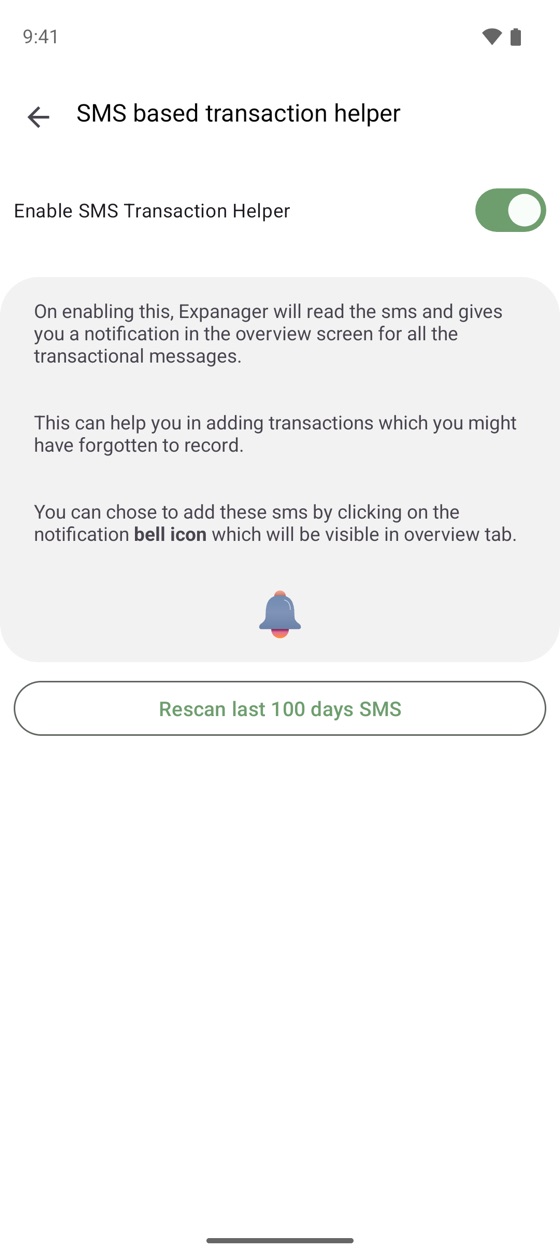
- Go to ⋮ → Settings → Transaction Helpers → SMS based transaction helper and turn it on.
- Tap Rescan to pick up recent payments, then tap Add on each one you want to keep.
Why UPI spending is so hard to track
UPI made paying easy, and that's the problem. A tea, an auto, a quick grocery top-up, a split dinner: dozens of small payments a week, each gone in a second. The payment apps show you a history, but it's one app's history, with no categories and no budget. Your bank app shows debits, but with reference numbers instead of shop names. Neither tells you the thing you actually want to know: how much did I spend on food this month, and is it more than last month?
Typing every payment into an expense tracker works for about a week. Then one busy day goes unrecorded, the totals stop being true, and the habit dies.
How automatic UPI tracking works
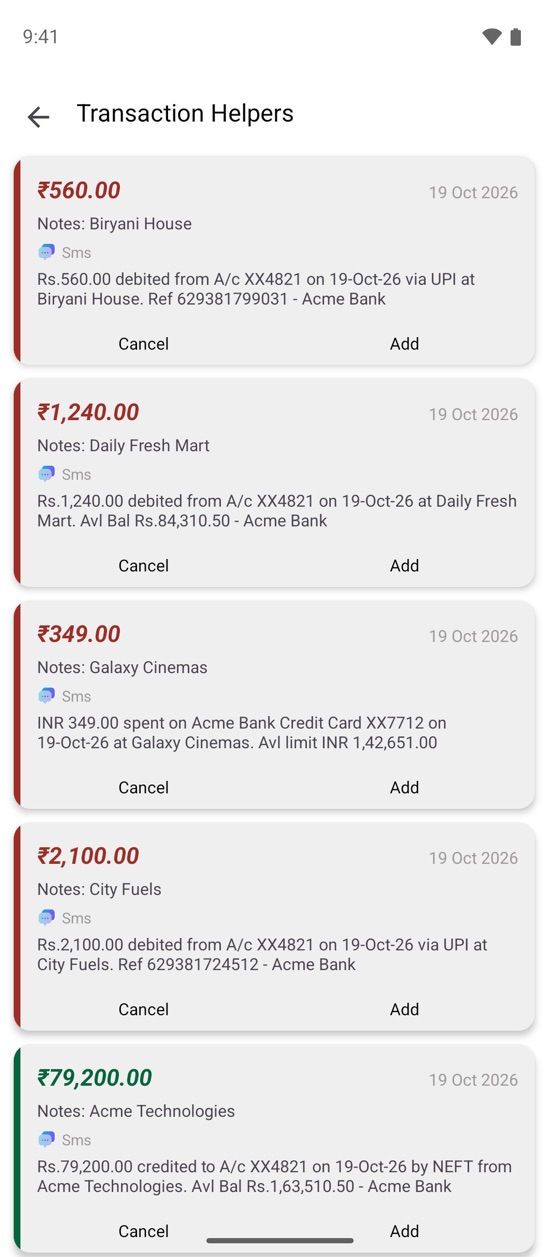
Banks in India must alert you for every electronic transaction, and nearly all of them do it by SMS. A typical message looks like this:
Rs.560.00 debited from A/c XX4821 on 19-Oct-26 via UPI at Biryani House. Ref 629381799031 - Acme Bank
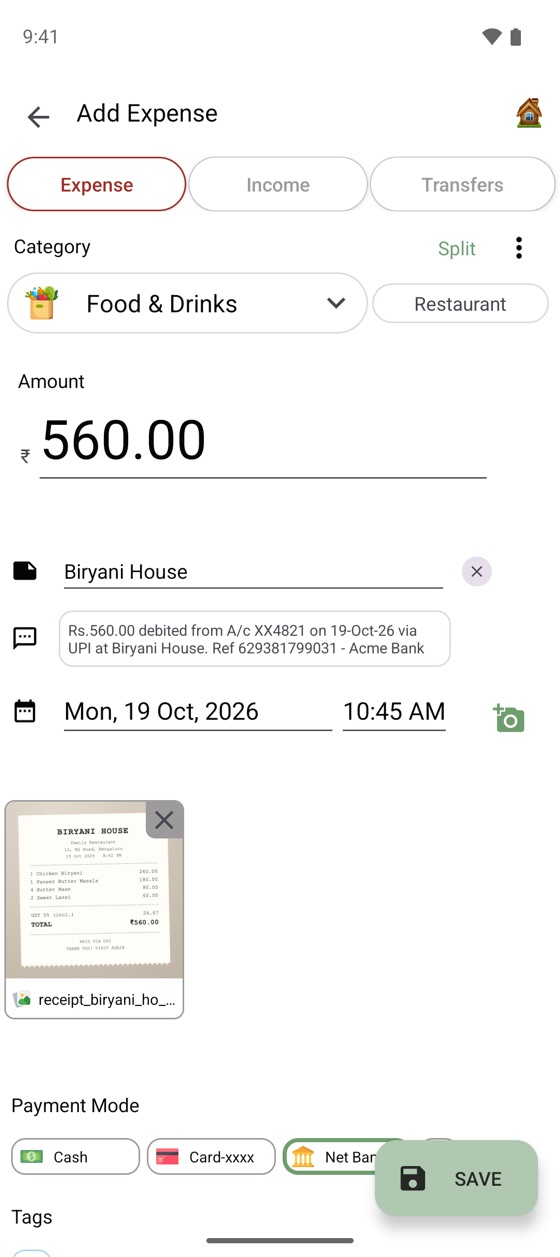
That one line contains everything an expense entry needs: the amount, the date, the merchant and the account. Expanager's SMS transaction helper watches for messages like this and, for each one, prepares an entry with the amount and merchant filled in and a category suggested. You tap Add to keep it or Cancel to ignore it. Credit card alerts, NEFT credits and salary deposits are picked up the same way, so income lands in the right place too.
Set it up in two minutes
- Install Expanager. It's free on Google Play, with no ads and no account to create. Open it and create an account for yourself (that's just a name; nothing is registered anywhere).
- Add your wallets. On the Wallets tab, add the bank account you pay from and any cards you use. You can give them an opening balance so the app shows a running balance, or leave it at zero and just track spending.
- Turn on the SMS helper. Go to ⋮ → Settings → Transaction Helpers → SMS based transaction helper, switch on Enable SMS Transaction Helper, and allow SMS access when Android asks.
- Rescan. Tap Rescan and Expanager looks through your recent messages. Everything it finds appears on the Transaction Helpers screen. Tap Add on each payment, choose or confirm the category, and save.
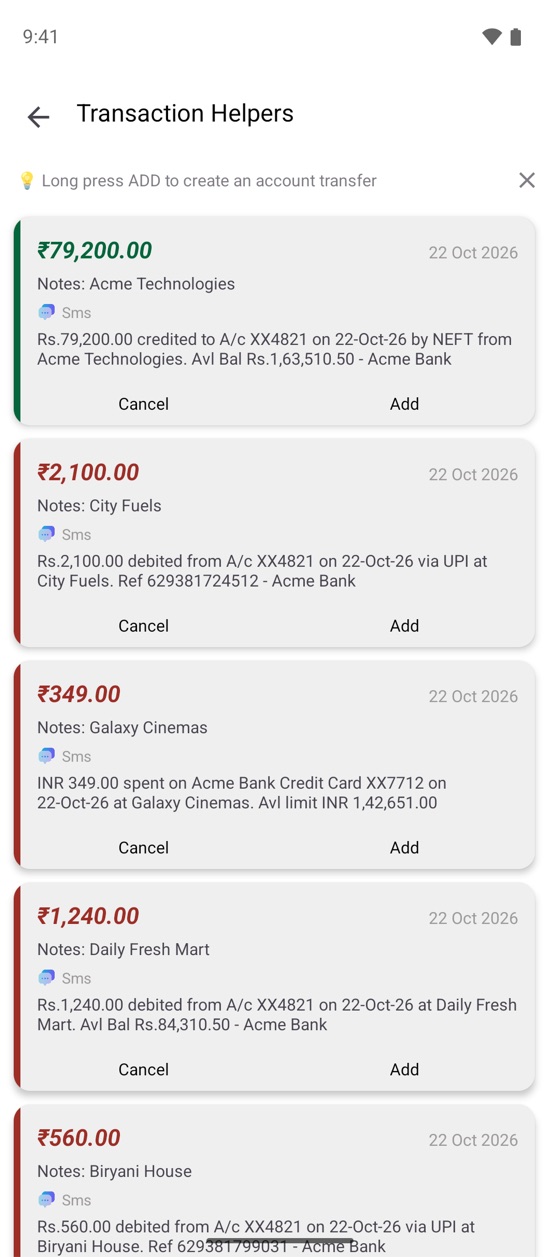
From now on, whenever a bank SMS arrives, a bell icon appears on the Overview tab and the payment waits there until you add it. A few taps at the end of the day and the month is complete.
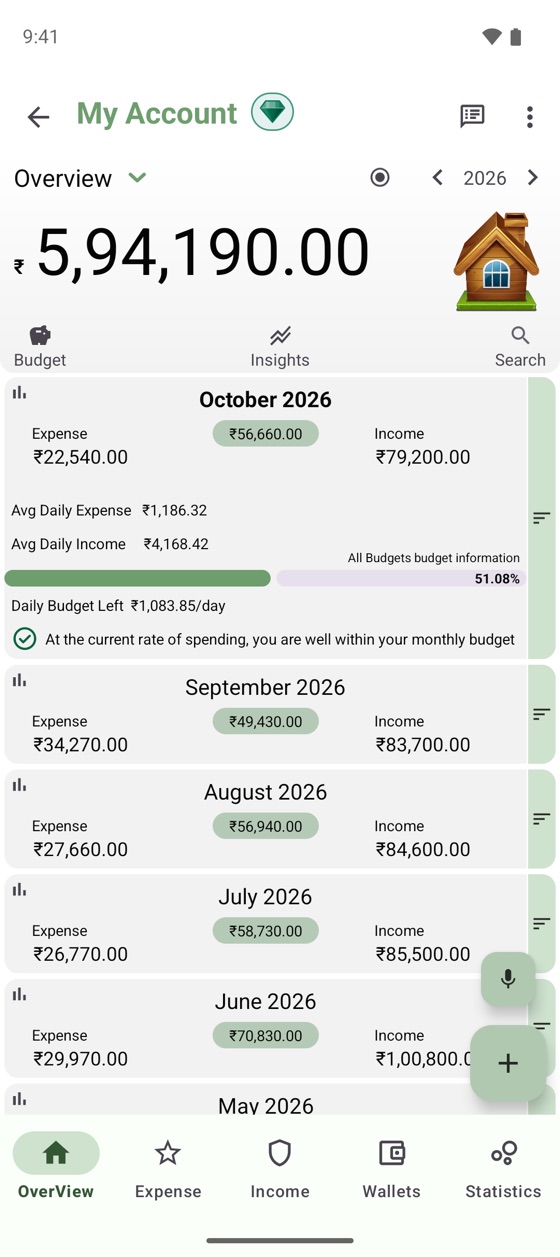
What you get: a picture, not a list
Once payments flow in automatically, the useful parts of an expense tracker start working for you:
- Monthly totals by category, so "food" means every biryani, grocery run and coffee, across all your payment apps.
- Budgets that warn you early. Set a monthly limit for a category and Expanager shows a daily allowance and tells you when you're on pace to overspend, while there's still time to change course.
- Insights such as your best and worst months, a daily spending heatmap, no-spend streaks and what changed since last month.
- Reports to PDF or Excel if you want to share or file them.
Payments that don't produce a bank SMS
If you pay from a wallet balance rather than a bank account, the bank has nothing to report, so no SMS arrives. For those, Expanager includes a free notification-based transaction helper: under ⋮ → Settings → Transaction Helpers, turn it on and give Expanager notification access. It then picks up payment confirmations from the payment app's own notifications, again on your phone only.
And if your bank's message format isn't recognised, open Transaction Helpers → Helper Settings to add keywords for your bank, or email an example message (with personal details removed) to potwaresolution@gmail.com and support for it will be added.
Is it private?
Yes, and this is the part worth being careful about with any app that asks for SMS access. Expanager has no servers for your data. Messages are read on the phone, entries are stored on the phone, and the app works fully offline. Backups go to a file you keep or, with Premium, to a private folder in your own Google Drive. You can lock the app with a password or fingerprint, and you can switch SMS reading off at any time. The privacy policy has the details.
Frequently asked questions
Does this work with Google Pay, PhonePe and Paytm?
Yes, for any payment made from a bank account, because the SMS comes from your bank, not from the app. Payments made from a wallet balance may not produce a bank SMS; for those, the notification-based helper reads the payment app's notification instead.
Does Expanager need internet to track UPI payments?
No. Messages are read and entries are stored on your phone. The app works fully offline; you only need a connection for Google Drive backup, exchange rates and purchases.
Does it read my other messages or OTPs?
Expanager looks for transaction alerts and ignores the rest. Nothing is uploaded or shared, and you can turn SMS reading off at any time.
Is the SMS feature free?
Yes. Reading bank SMS is part of the free app, with no ads, and so is the notification-based helper for payment-app notifications.
What if a UPI payment is not detected?
Check that Expanager has SMS permission (Android Settings → Apps → Expanager → Permissions), tap Rescan on the Transaction Helpers screen, or add your bank's keywords under Helper Settings. If a format is still not recognised, email an example message with personal details removed.
Does it work for UPI payments on a credit card?
Yes. Card alerts arrive by SMS as well, and Expanager picks them up the same way. Add the card as a wallet and the payment is recorded against it, with the card's limit and due date tracked alongside.
Let your bank do the typing.
Free to download. No ads, no sign-up, no data leaving your phone.
