 Expanager
Looking for a Walnut alternative? Here's expense tracking without the lending
Walnut was the app that showed India you could track spending from bank SMS without typing anything. It's now called axio, and the tracker lives inside a lending app. If what you miss is the tracking, Expanager does the same job from the same messages, with no loans, no ads, no sign-up, and your data kept on your phone.
What happened to Walnut
Walnut wasn't shut down. It was renamed axio, and the company behind it is an RBI-registered non-banking finance company. According to its own Play Store listing, the app is still "an SMS-based money management app", and it now also offers axio Pay Later credit at online merchants, personal loans at interest rates from 14% to 35% a year, and fixed deposits.
That's a reasonable business, and nothing in this article says otherwise. But it changes what the app is for. The expense tracker is now the way in to credit products, and many people who liked Walnut simply wanted to know where their money went. If that's you, you have a choice to make: keep the tracker you know with the lending alongside it, or move to one that is only a tracker.
What you keep by switching to Expanager
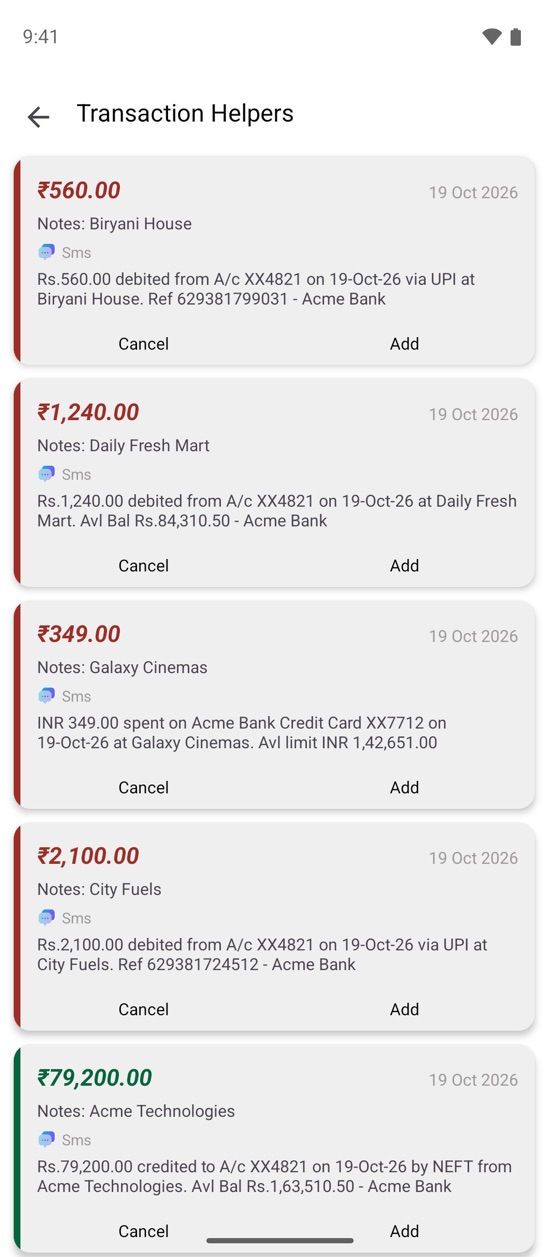
- Automatic entries from bank SMS. UPI, card and NEFT alerts become ready-made entries with the amount, merchant and a suggested category. Tap Add. (How it works, with screenshots.)
- Credit card dues. Add your cards as wallets with their limit and due date, and Expanager shows how much is used and when the bill is due.
- Budgets and bill reminders. Monthly budgets per category with an early warning when you're on pace to overspend, plus recurring entries for the bills that come every month.
- Categories, notes, tags and receipt photos on every entry, and fast search across all of them.
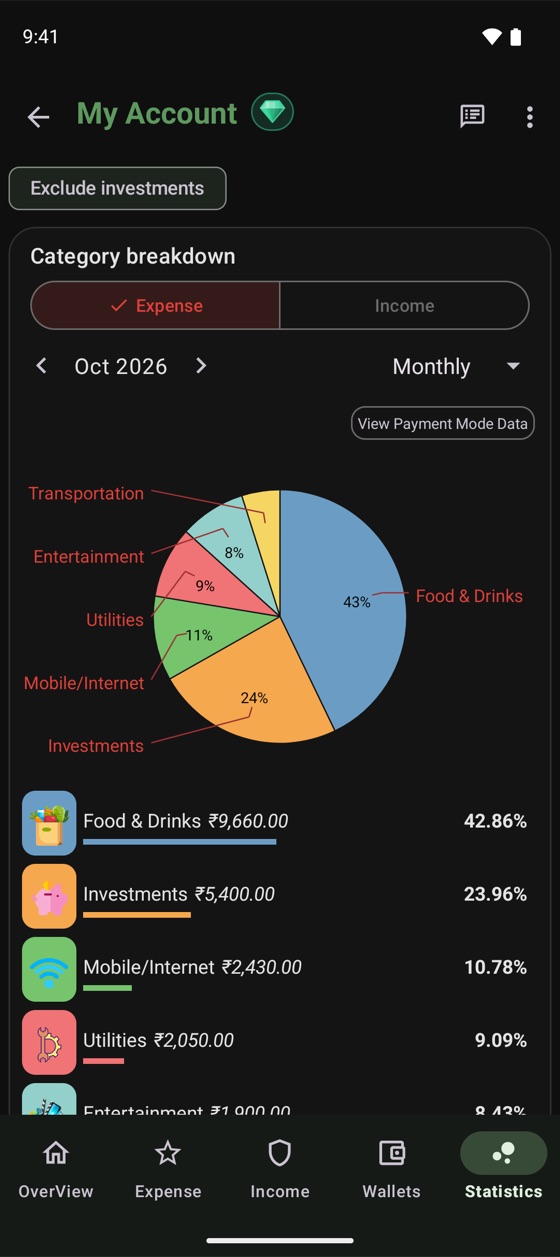
- Charts. Spending by category, month and year, best and worst months, a daily heatmap and your savings rate.
What's different
| axio (formerly Walnut) | Expanager | |
|---|---|---|
| Expense tracking from bank SMS | Yes | Yes, free |
| Credit products in the app | Pay Later, personal loans, fixed deposits | None |
| Account or sign-up | Required | None. Open the app and start |
| Ads | See its listing | None |
| Where your entries live | See its privacy policy | On your phone. No servers for your data |
| Works offline | See its listing | Fully |
| Backup | See its listing | A file you keep (free), or your own Google Drive (Premium) |
| Multiple accounts (personal, family, business) | See its listing | Yes |
Moving over takes ten minutes
- Install Expanager from Google Play. There's no account to create.
- Add your wallets on the Wallets tab: the bank accounts you pay from, your cards (with limit and due date) and any wallets.
- Turn on SMS reading under ⋮ → Settings → Transaction Helpers → SMS based transaction helper, then tap Rescan. Expanager reads the bank messages already on your phone and rebuilds your recent history, which is usually faster than exporting from the old app.
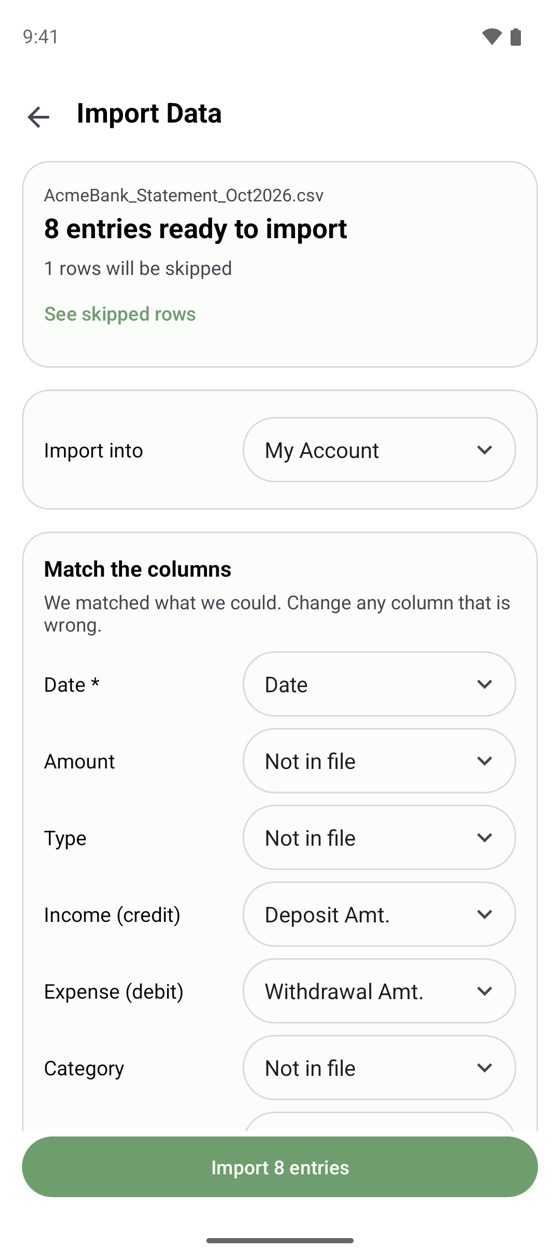
- Or import a file. If you have your old entries as CSV or Excel, go to ⋮ → Settings → Backup and Restore → Import Data. Importing is free, duplicates are skipped, and missing categories are created for you.
- Set a couple of budgets under ⋮ → Budget for the categories that matter, and you're done.
About your bank messages
Any app that reads SMS deserves a hard look at what it does with them. Expanager reads transaction alerts on the phone, turns them into entries on the phone, and stores them on the phone. There is no server receiving them. The app works fully offline, backups go to a file you keep or to a private folder in your own Google Drive, and you can lock the app with a password or fingerprint. The privacy policy spells this out.
Frequently asked questions
Is Walnut still available?
The Walnut app was renamed axio and is still on Google Play. It still offers SMS-based expense tracking, alongside Pay Later credit, personal loans and fixed deposits from axio, an RBI-registered lender.
Can I move my Walnut or axio data to Expanager?
If you can export your entries as a CSV or Excel file, Expanager imports them for free under Settings → Backup and Restore → Import Data. Otherwise, turn on the SMS helper and tap Rescan: Expanager rebuilds recent history from the bank messages already on your phone.
Does Expanager offer loans or credit?
No. Expanager is only an expense tracker and budget planner. It has no lending products, no ads and no account to sign up for. (It can track a loan you've taken or given, so you can see what's left to pay or collect.)
Is Expanager free?
Yes. The everyday features, including bank SMS reading, budgets, charts and backup files, are free with no ads. Some advanced features, such as Google Drive auto backup and statement reconciliation, are part of Expanager Premium.
Just the tracker. Nothing attached.
Free to download. No ads, no sign-up, no data leaving your phone.
